Instagram Story Publishing

Overview
I led the mobile and publishing design teams that were responsible for designing this feature on Android and iOS, as well as web. The aim is to enable social media managers to plan and schedule their Instagram Story posts. Because of API limitations, these posts must manually be published via Instagram. When the time for publishing these posts come, users are able to leverage this feature on mobile to publish manually to Instagram.

Introducing The Practitioner
The Practitioner is the main user of this feature. They will be responsible for creating, scheduling, and posting the content to their brands’ Instagram profiles. In some cases, they may submit their posts to their Managers for approval, ahead of the content being scheduled.
Problem
Currently practitioners leveraging Sprout Social are unable to plan, schedule, and post their Instagram Story posts via our product. This forces them to plan content in multiple tools without a cohesive view of outgoing content, no reminders to post those stories, and no seamless way to transfer content over to post to Instagram manually. The lack of this feature leads to customer confusion, increased complexity, reliance on external tools, and a lost product opportunity.
Technical Limitations:
Instagram’s API does not allow for Story Posts to automatically be posted to Instagram. This means that users will still have to manually transfer over their planned content from Sprout into Instagram when the scheduled time comes.
Discovery
The team analyzed customer feedback and requests related to story publishing. They also conducted user surveys and interviews to understand current pain point of manually posting Instagram posts.
Findings:
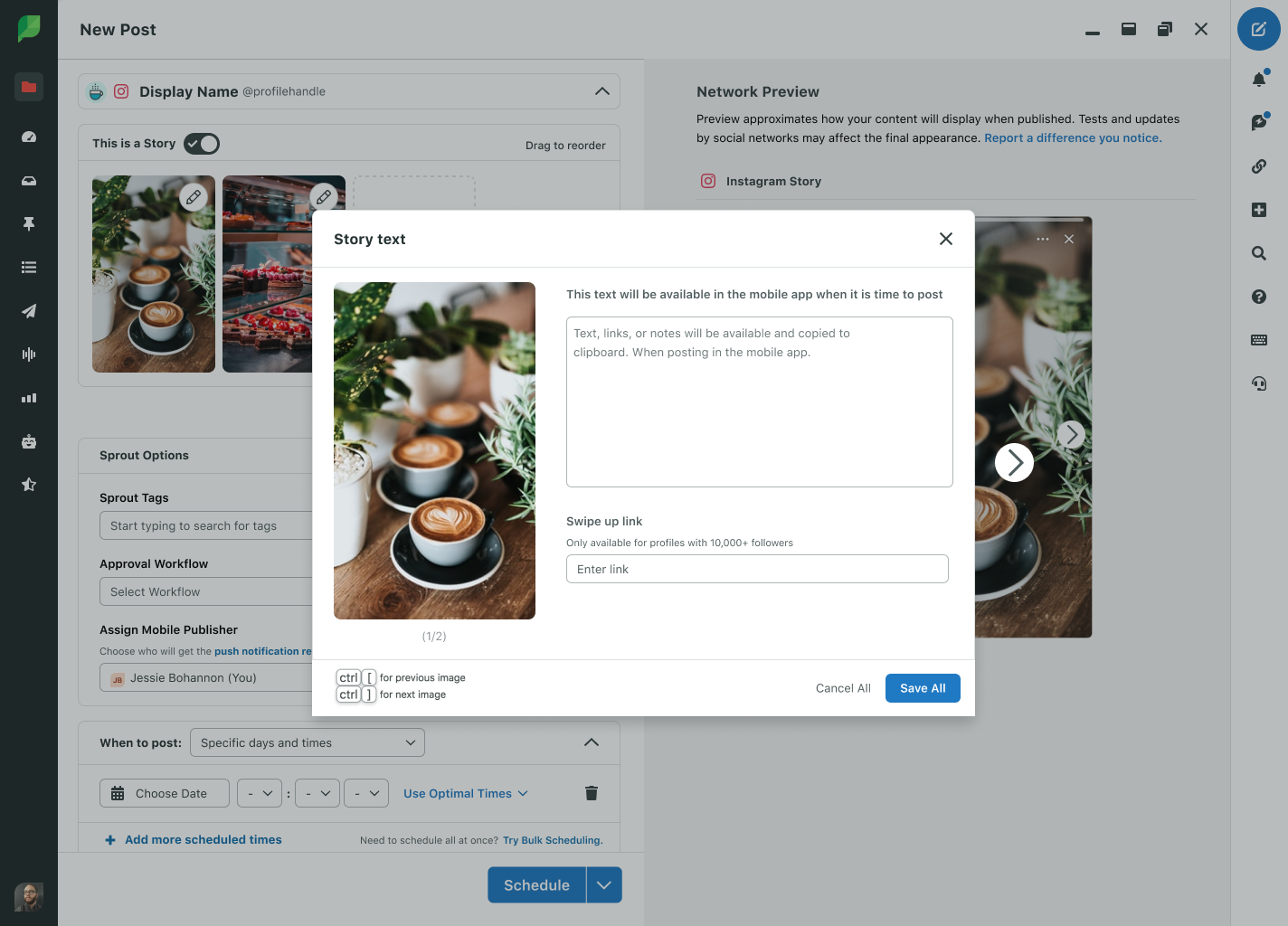
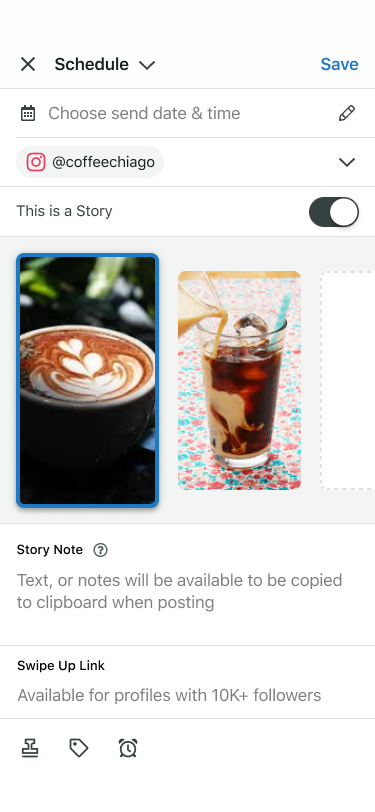
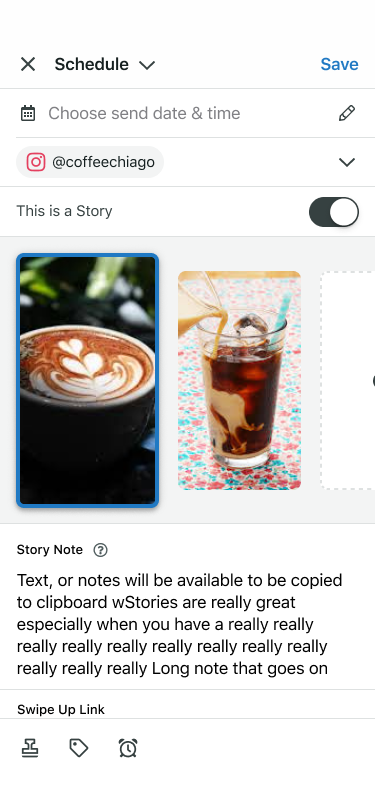
Practitioners want the ability to add details such as notes, or swipe up links to specific story posts that meet their brand needs
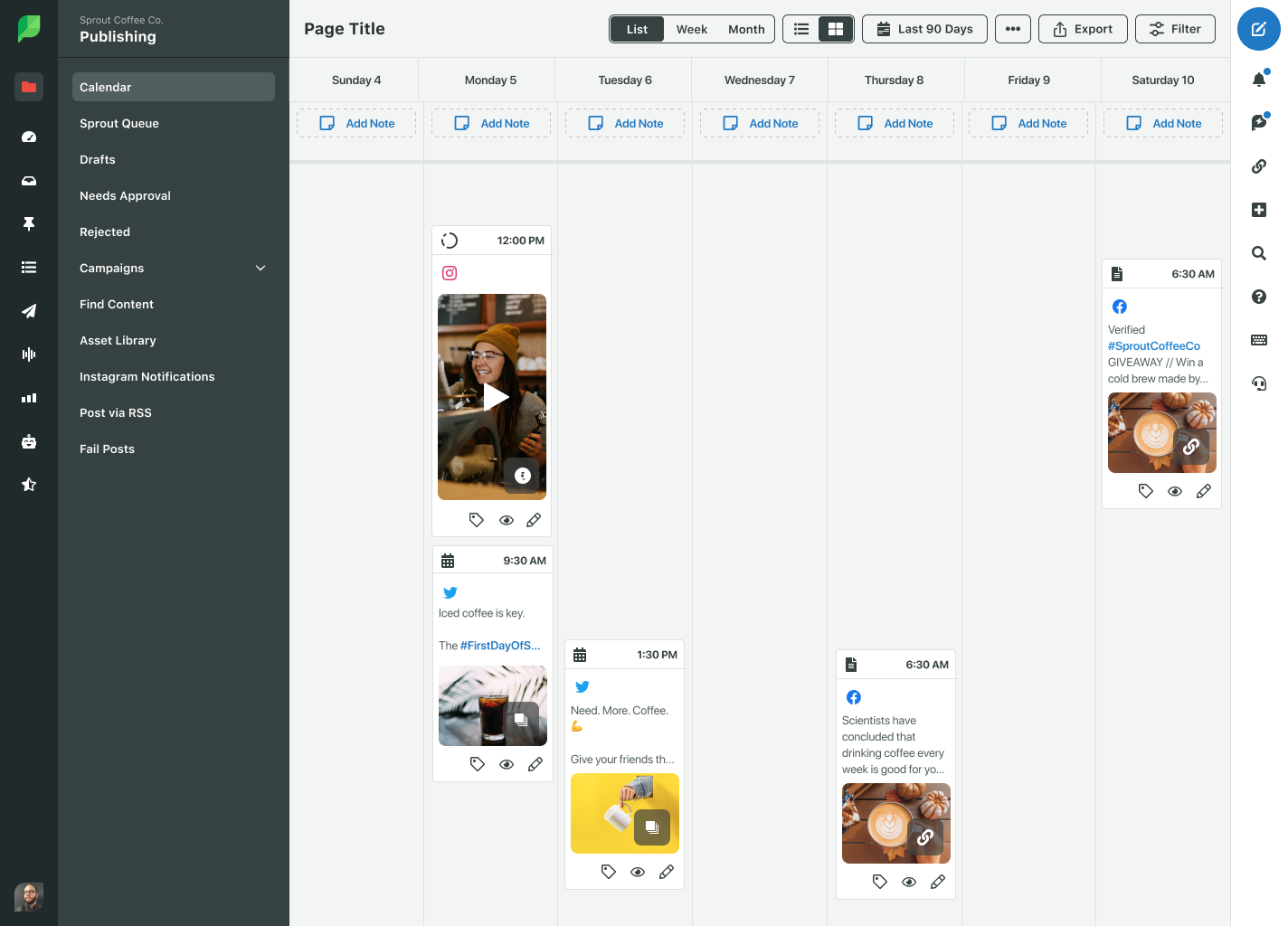
Practitioners want the ability to quickly identify what posts are stories when viewing their publishing streams
Practitioners want advanced notifications to their phones for when it is time to post
Practitioners want an easier way to view story information and a quick experience to transfer content to Instagram from Sprout
Workflow
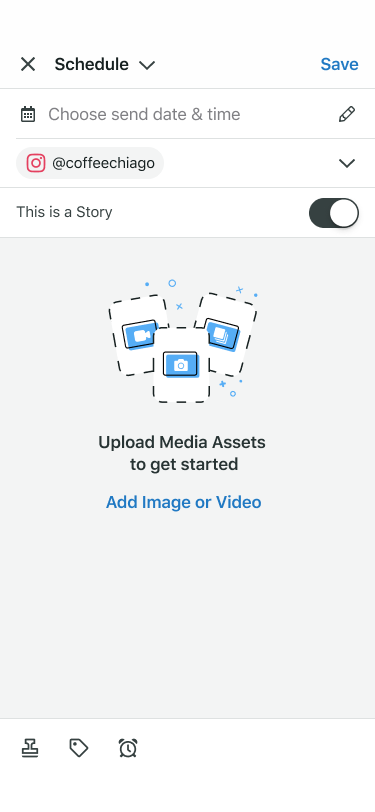
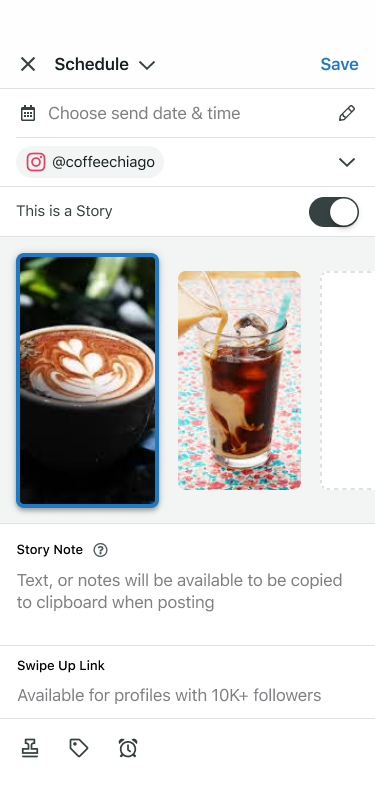
Design: Upload media & preview story content
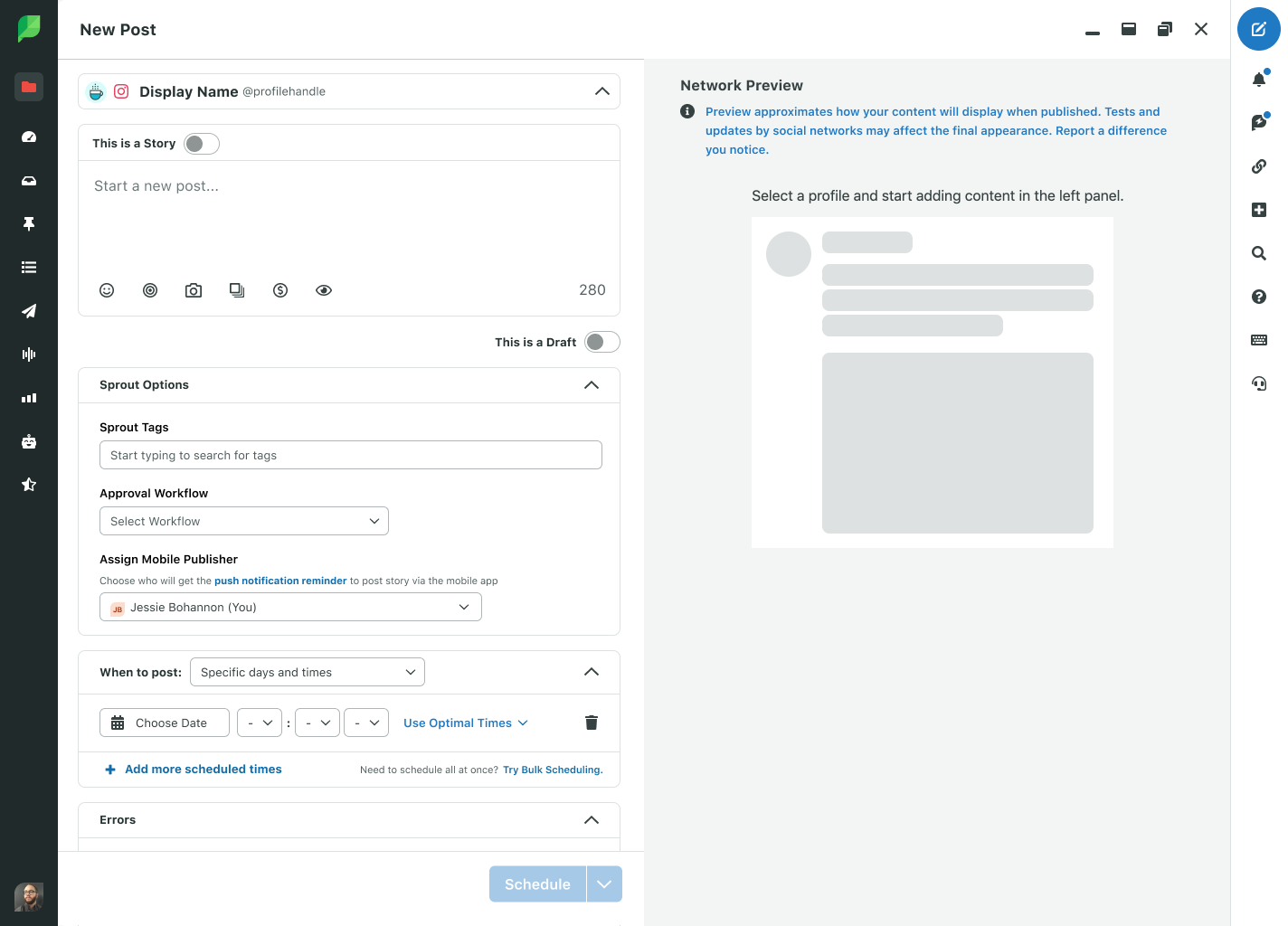
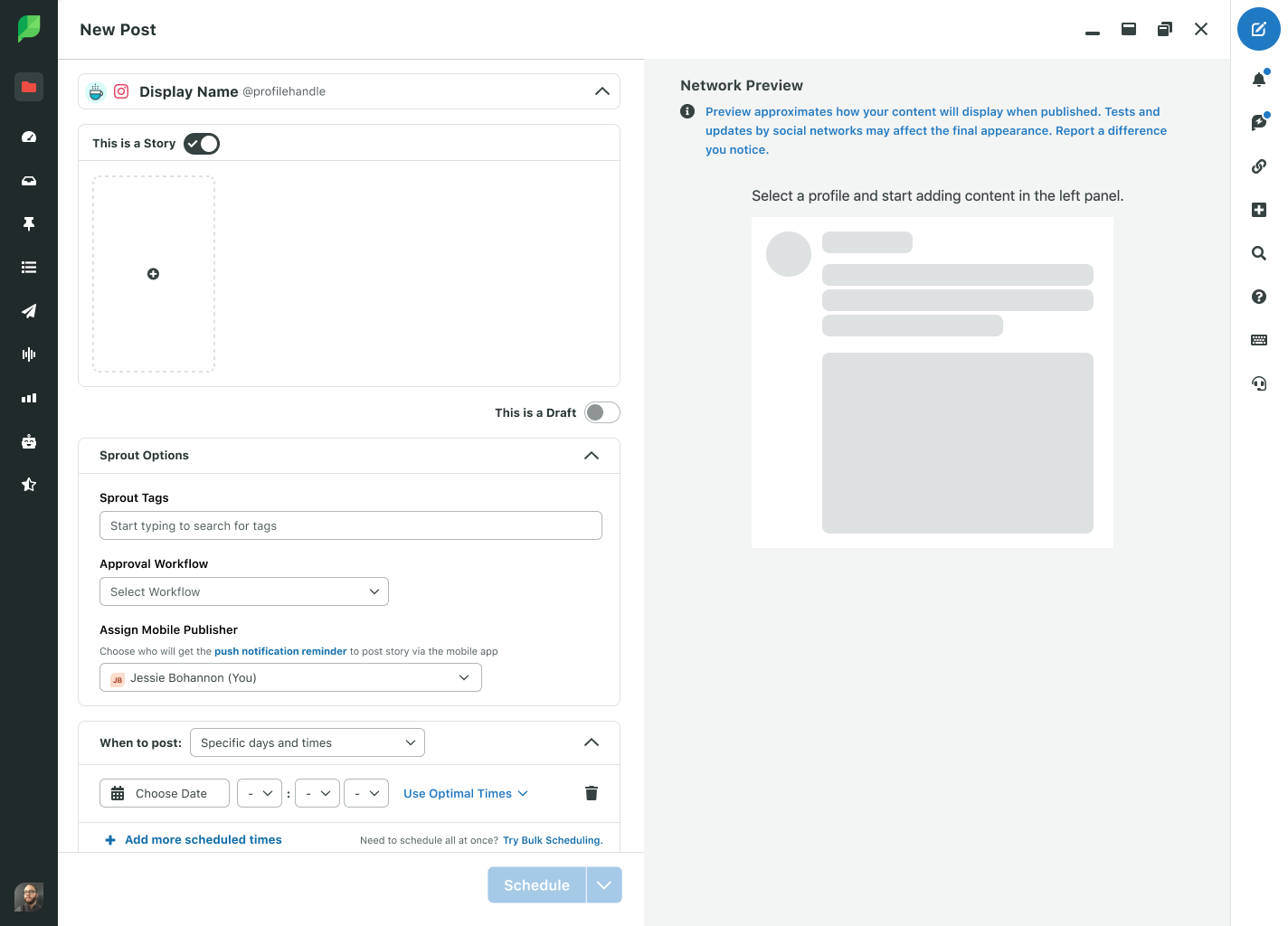
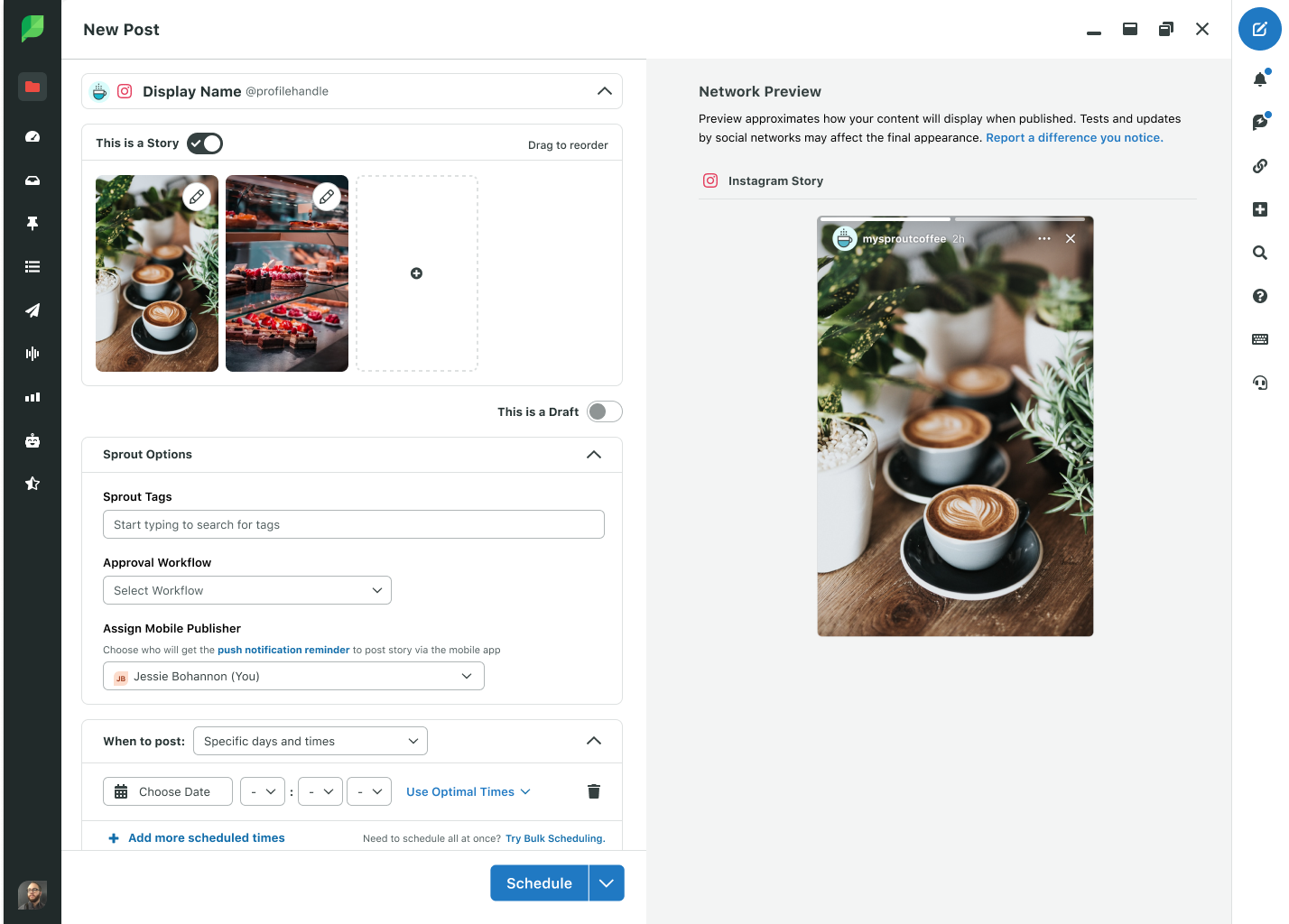
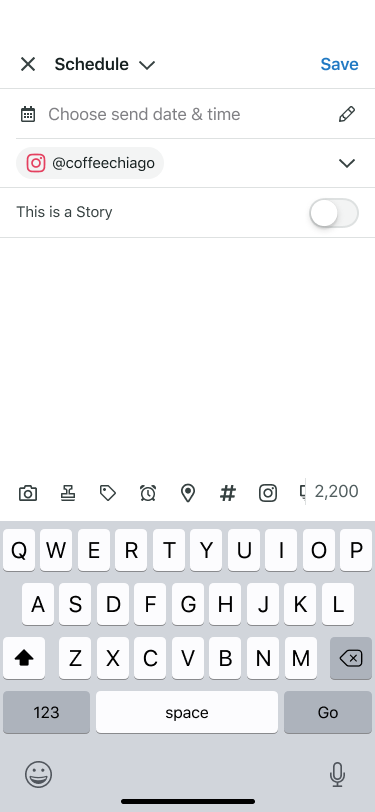
When a practitioner is creating a new post and only has Instagram profiles selected, a story switch will be enabled, they are able to toggle on Story Post and upload media. Once they upload media, they are able to see a preview of what the story post will look like on Instagram to the right of their screen on web.
Web:
Mobile:
Design: Add context to individual images
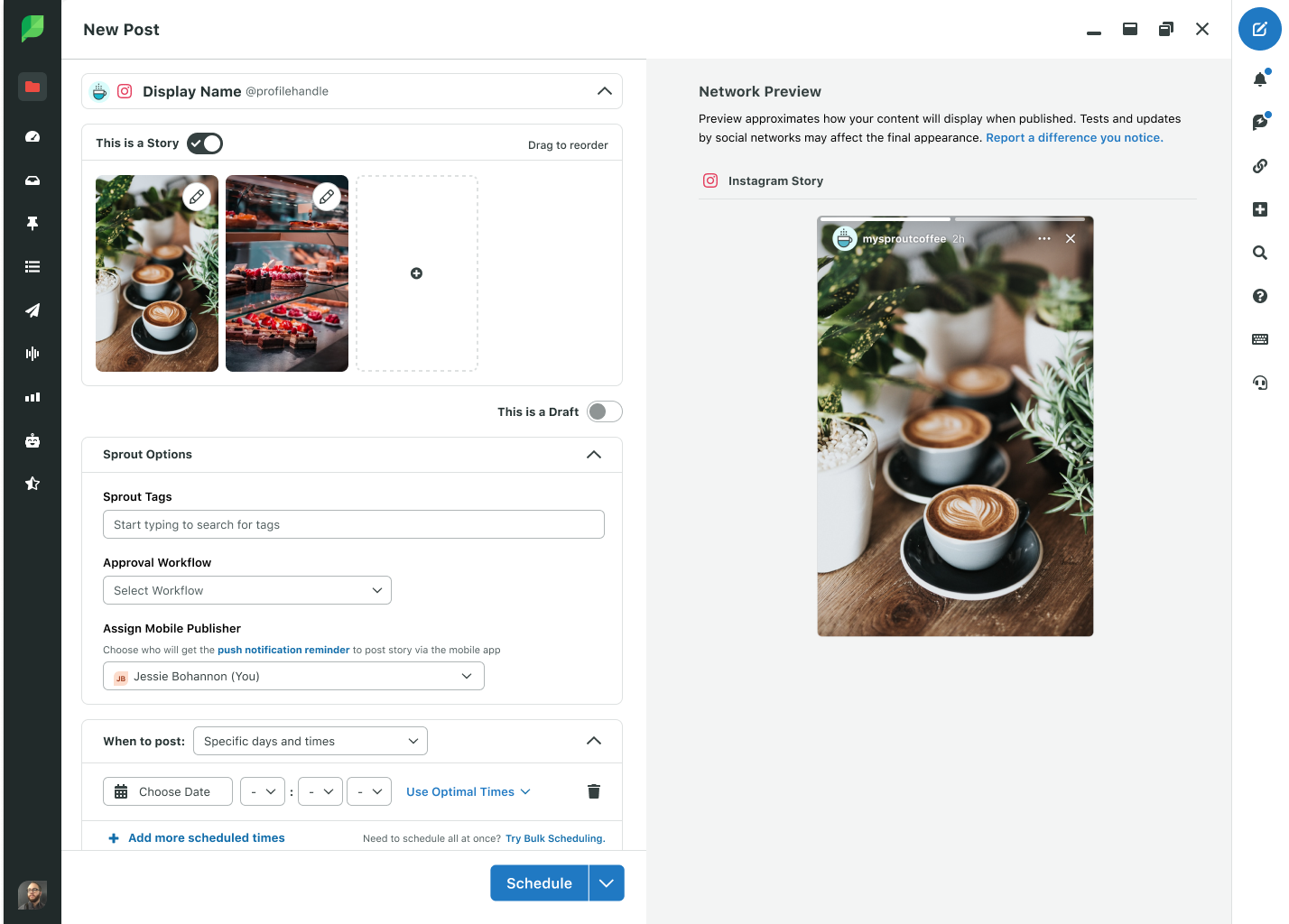
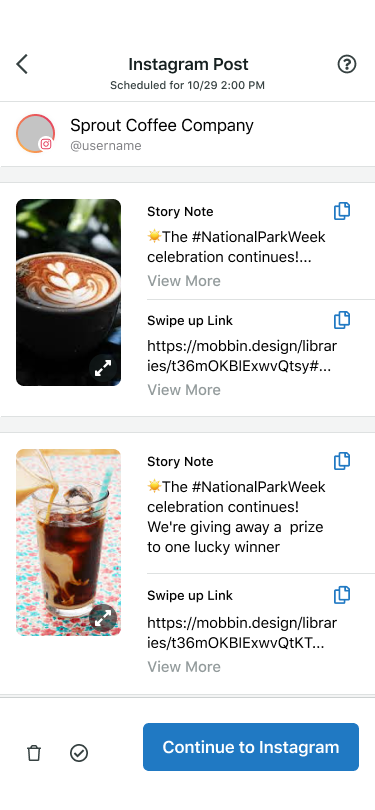
Below a practitioner is able to add text to each image, including swipe up links. The text they enter will be available for use when it’s time to post their story to Instagram.
Web:
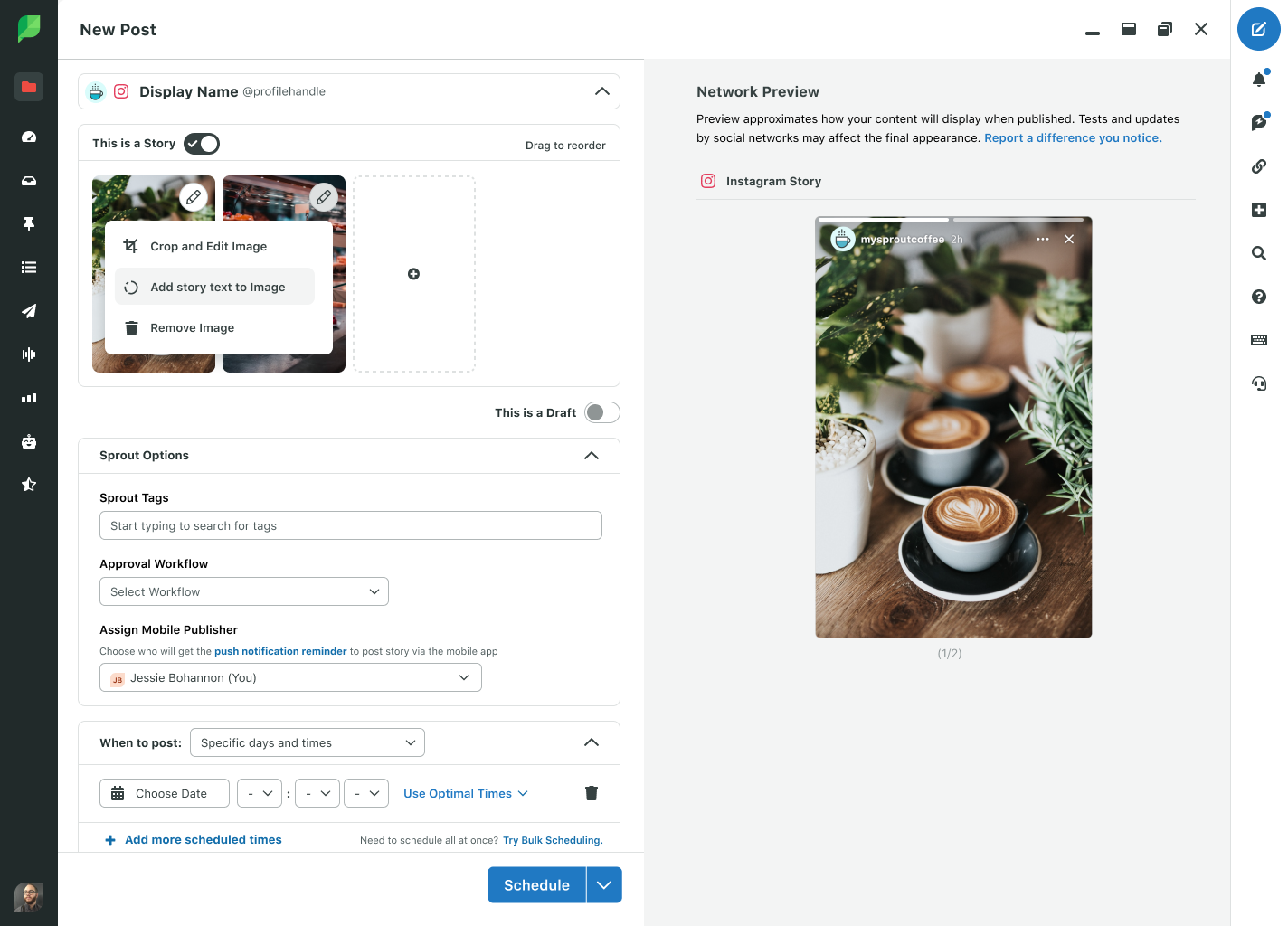
Mobile:
Design: Get comprehensive view of all outgoing content
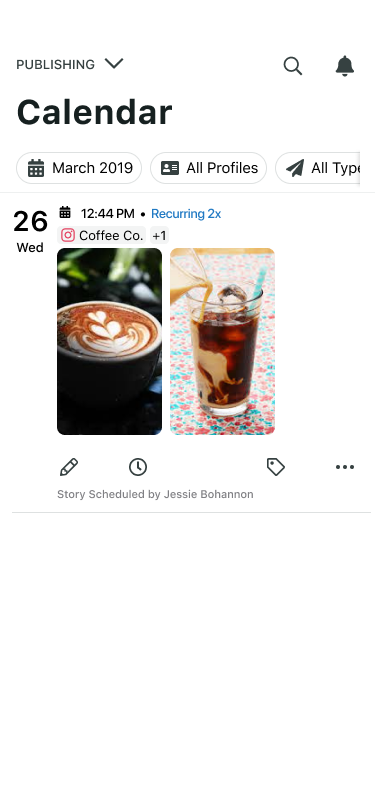
Below a practitioner is able to view their pending story posts on their calendar alongside all other planned content.
Web:
Mobile:
Design: Be notified when it’s time to post
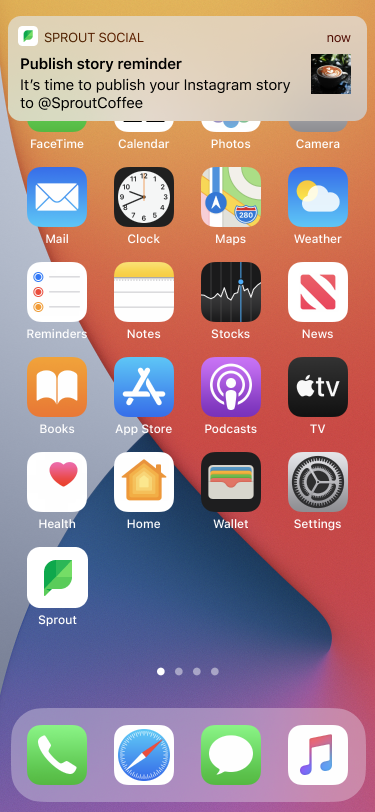
When it is time to post, users will receive a push notification to their phone to remind them to post the story and its content to Instagram. When they tap the notification, they are able to see the scheduled content. From there, they can ‘Continue to Instagram,’ the app will open and they are able to begin posting.
Design: Mobile First Use State
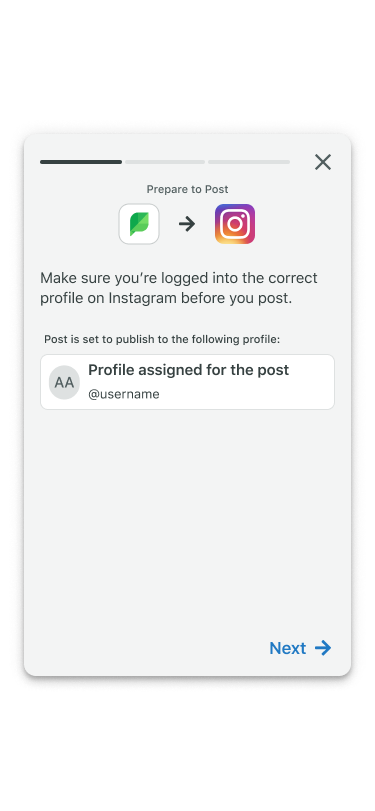
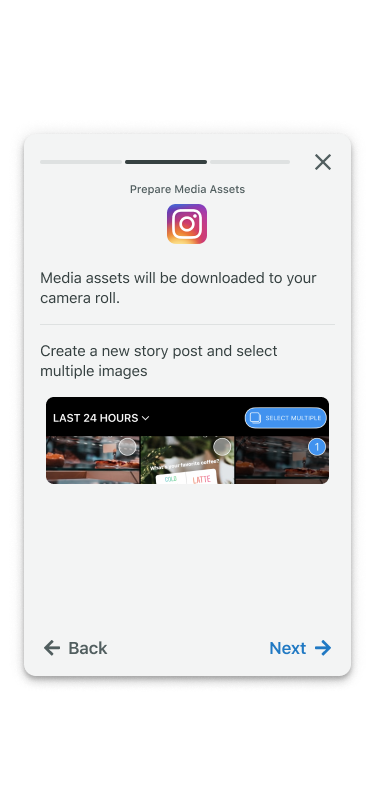
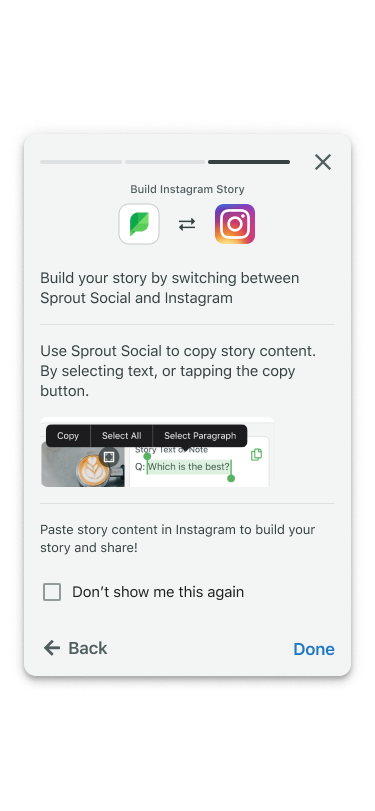
Upon first use, users will receive instructions and helpful hints on how to transfer their story content to Instagram.
Measuring Success
We will be measuring success by tracking the following metrics in our Beta which launched April 18, 2022:
Track % of Instagram posts created
Track % of Instagram posts published
Track % of Instagram posts created as a "Story"
Track % of Instagram posts published as a "Story"
Team Learnings
This project was a cross zone effort between the mobile and publishing teams. Because of improper planning and sequencing, there was a year gap between when the designs were created for this feature and the launch of the beta. This experience caused several hiccups between disciplines and teams. It exposed us to huge opportunities in streamlining our cross discipline process, our initiatives and priorities, team structure and our cross zone process. From this experience, I partnered with our lead product manager and engineering manager and the outcome was:
Investment in tech debt so that features do not take an unreasonable amount of time to ship
Start together - each discipline should partner together to understand a problem space and solve it together
Provide design requirements in order to create greater efficiency
Invest in our mobile strategy to effectively advocate for more resources
Mobile designers spanning across zones in order to prevent attrition due to lack of fulfillment and shipment of work.