Product Quality Improvements
Overview
Product quality issues are friction points that degrade the experience, disrupt flow, and erode confidence in our product. Think hard-to-find actions, dead ends or error-prone flows, cluttered or visually inconsistent layouts, unintuitive interactions, missing guidance, etc. Remediation is the work of fixing what’s already broken – it’s how we earn back user trust and improve key retention metrics. I led the overhaul of the product quality improvements for the Platform BU beginning with remediation and then later focusing on prevention.

Phase 1: Discovery & Synthesis
To drive early multidisciplinary alignment, I facilitated a Friction Logging session using Live-Action Role Play (LARP).
Why LARP?
Role-playing as users allows product teams to experience their product from the user’s perspective, which is critical for identifying pain points, usability issues, and areas of friction that may not be apparent from a purely technical or design standpoint.
By stepping into the user’s shoes, teams can better understand real-world scenarios, revealing issues like confusing navigation, frustrating interactions, or missing features, which — until experiencing it for yourself, might otherwise be dismissed or overlooked.
Synthesized areas of quality improvement needs:
Settings navigation and IA, bulk management experiences, notifications and settings experience, profile connections workflows, Groups and Social Profiles page experience, permissions granularity/flexibility, update inconsistent UX patterns across the application
Phase 2: Strategic Alignment
During 2025 roadmap planning, we translated friction-logged items into scoped projects aligned with the Product Org’s priority theme: Onboarding & Admin Efficiency – enable enterprise customers to efficiently onboard, configure, and manage Sprout at scale—reducing time-to-value and minimizing manual admin overhead.
Prioritization Strategy:
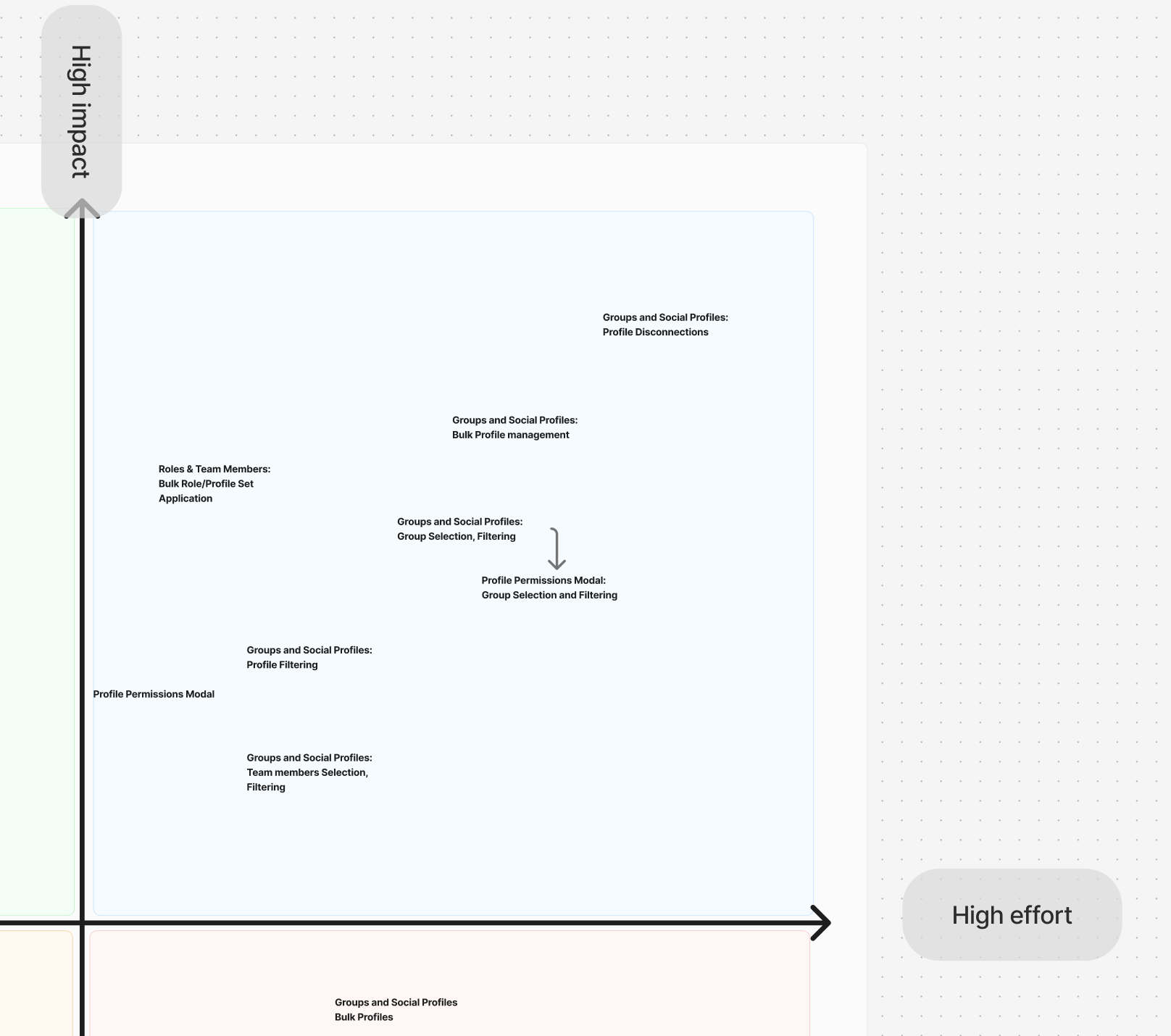
Mapped friction points into distinct, manageable projects
Connected scope directly to enterprise admin goals
Plotted projects on a Value vs. Effort matrix to determine execution order
Phase 3: Strategy & Execution
Key Considerations & Constraints
Design Lead Time: Aimed to get design deliverables structured well ahead of engineering availability
Onboarding Dynamics: An org restructure required onboarding a new PM and engineering cohort to the Platform BU
Resource Reallocation: Shifting business priorities suddenly pulled backend engineers to other initiatives, forcing a tactical shift to front-end-only projects
Initial Execution: Front-End Quick Wins
To maintain momentum and build a buffer for design, we prioritized immediate front-end UI enhancements:
Profile Permissions Modal: Resolved UI jumps during list updates, added undo functionality, and streamlined pagination UX
Bulk Role & Profile Assignments: Added multi-user selection capabilities to let admins assign roles and profile sets simultaneously
Strategic Quality Pivot & North Star Vision
With design running ahead of engineering resourcing, we pivoted toward resolving incremental quality debt aligned with our overarching Profile Command Center vision – a central place for admins to proactively manage the connection of all their social profiles – the backbone of the Sprout application that protects the inbound and outbound flow of data to Sprout.
Improvements that build toward our vision:
Some data around our Enterprise Customers
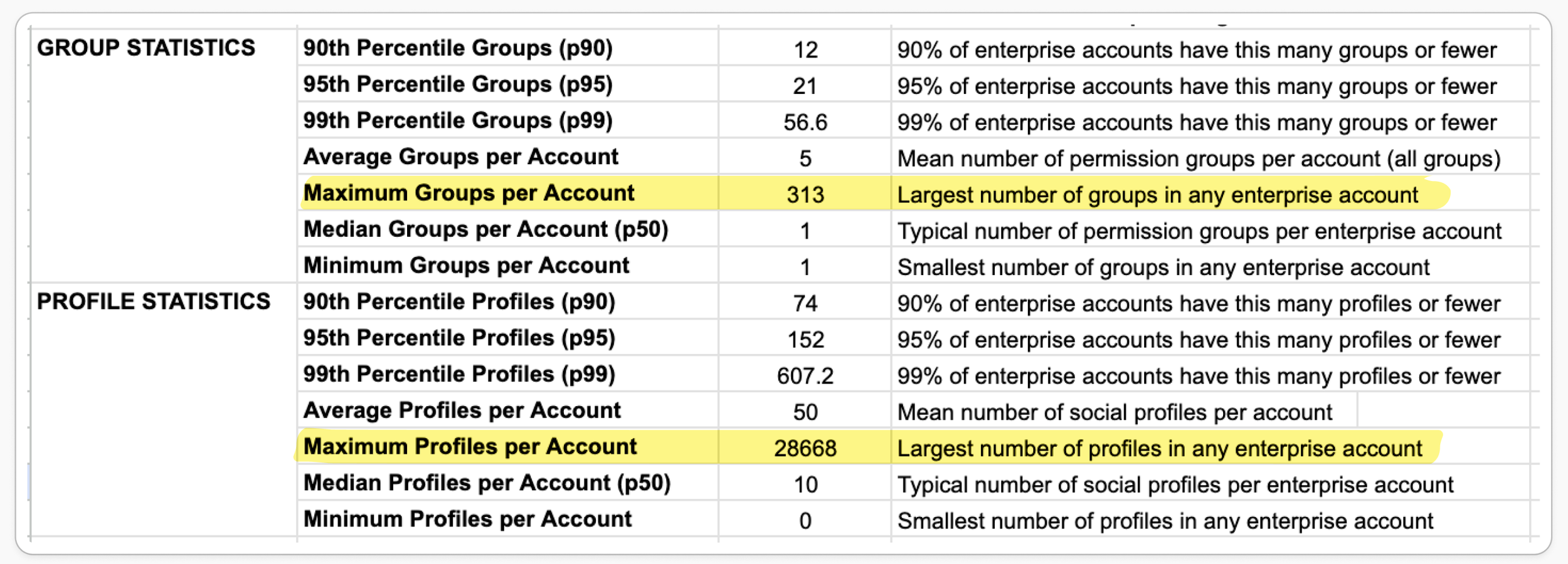
Table Views for Groups & Social Profiles Page and Permissions Modals
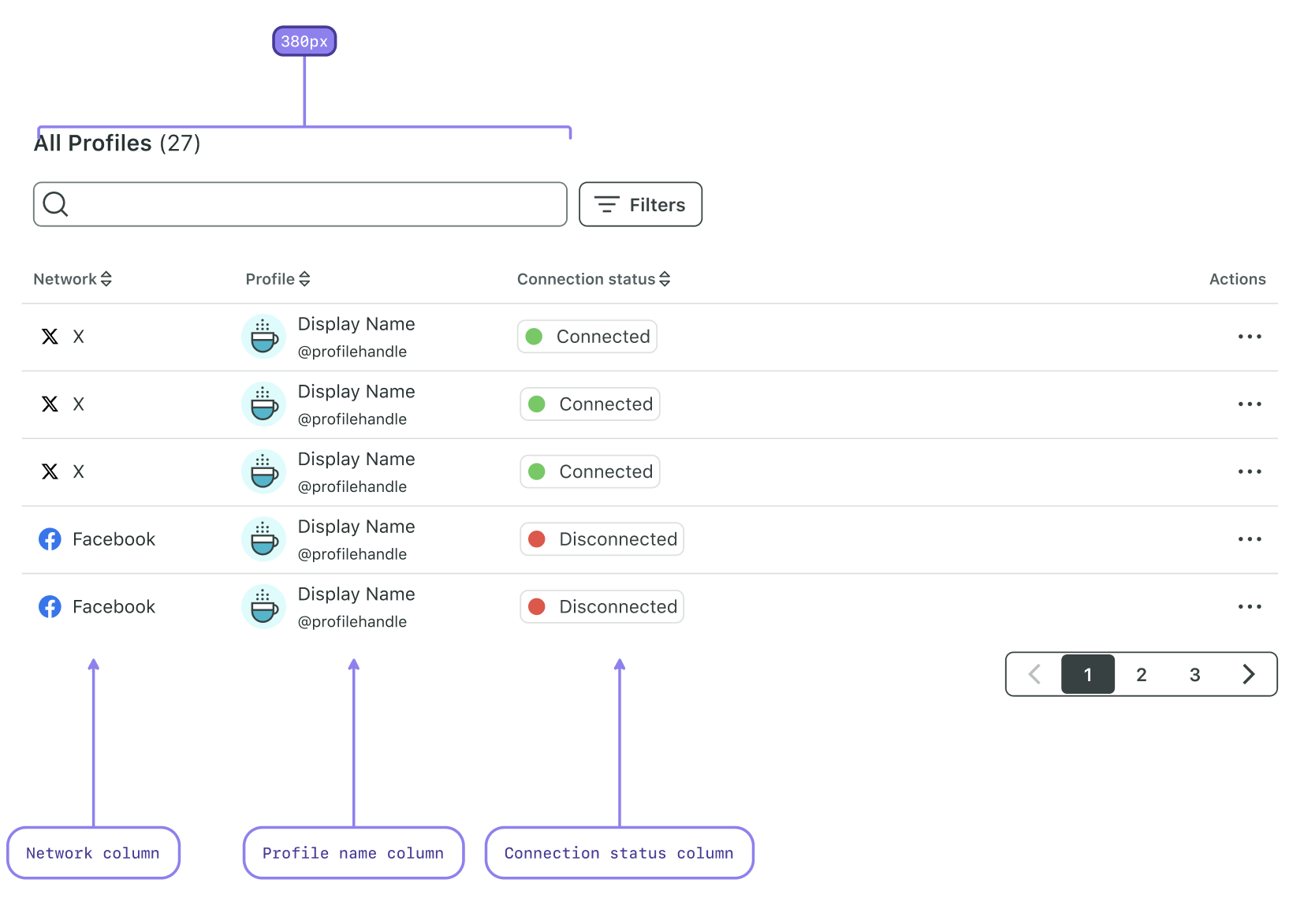
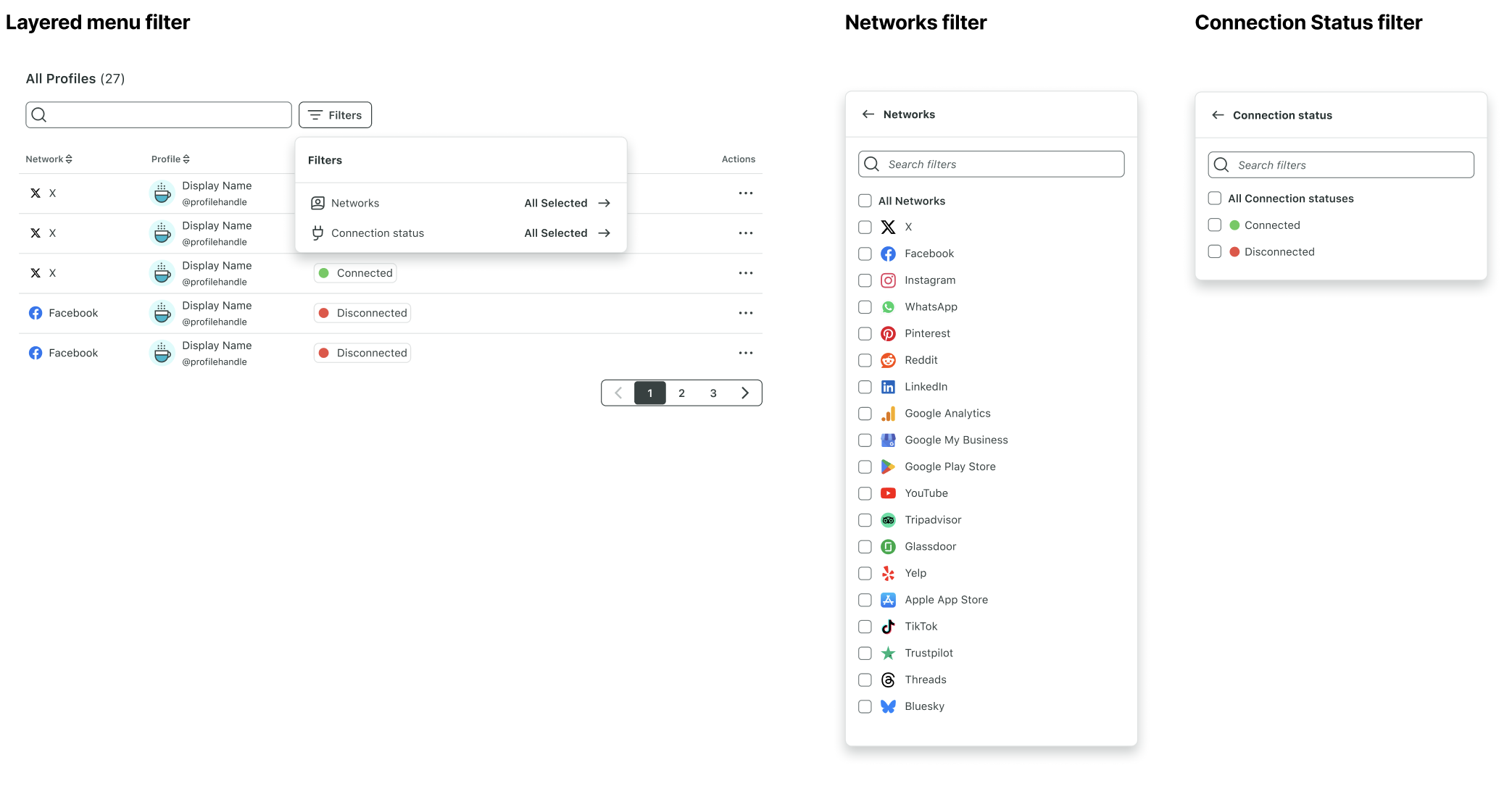
Updated UI for tables & modals including sort, filter, search functionality
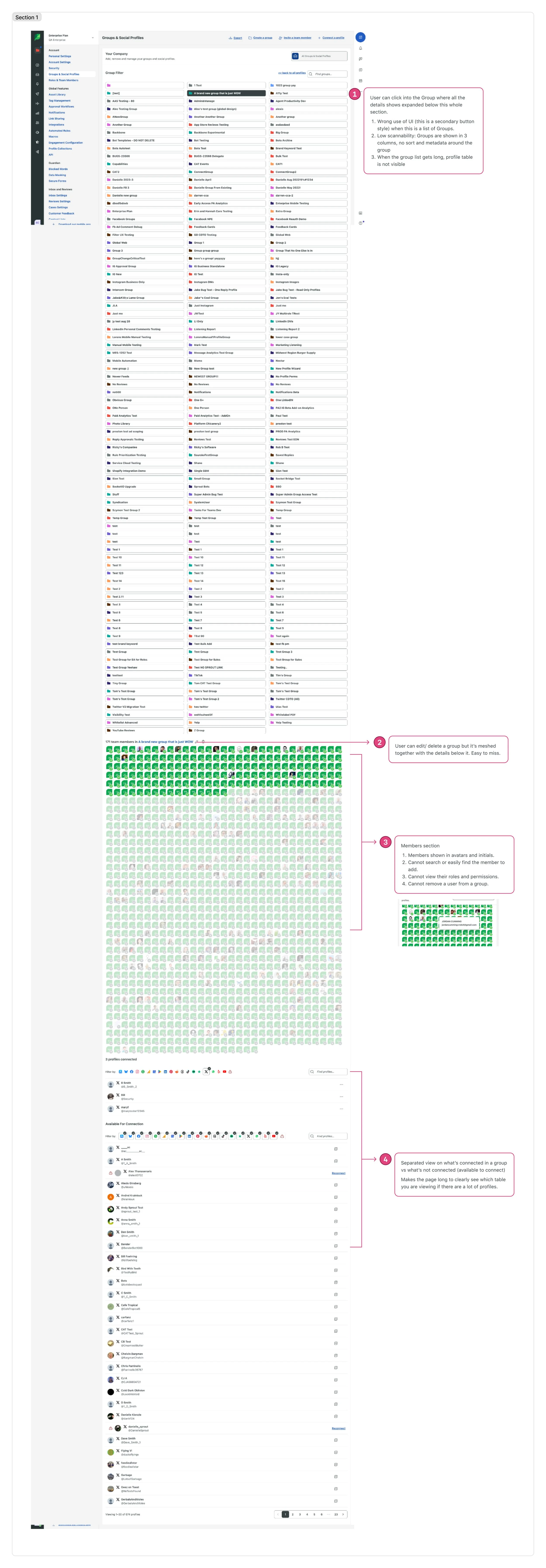
Groups Table Before
Groups Overview Table After
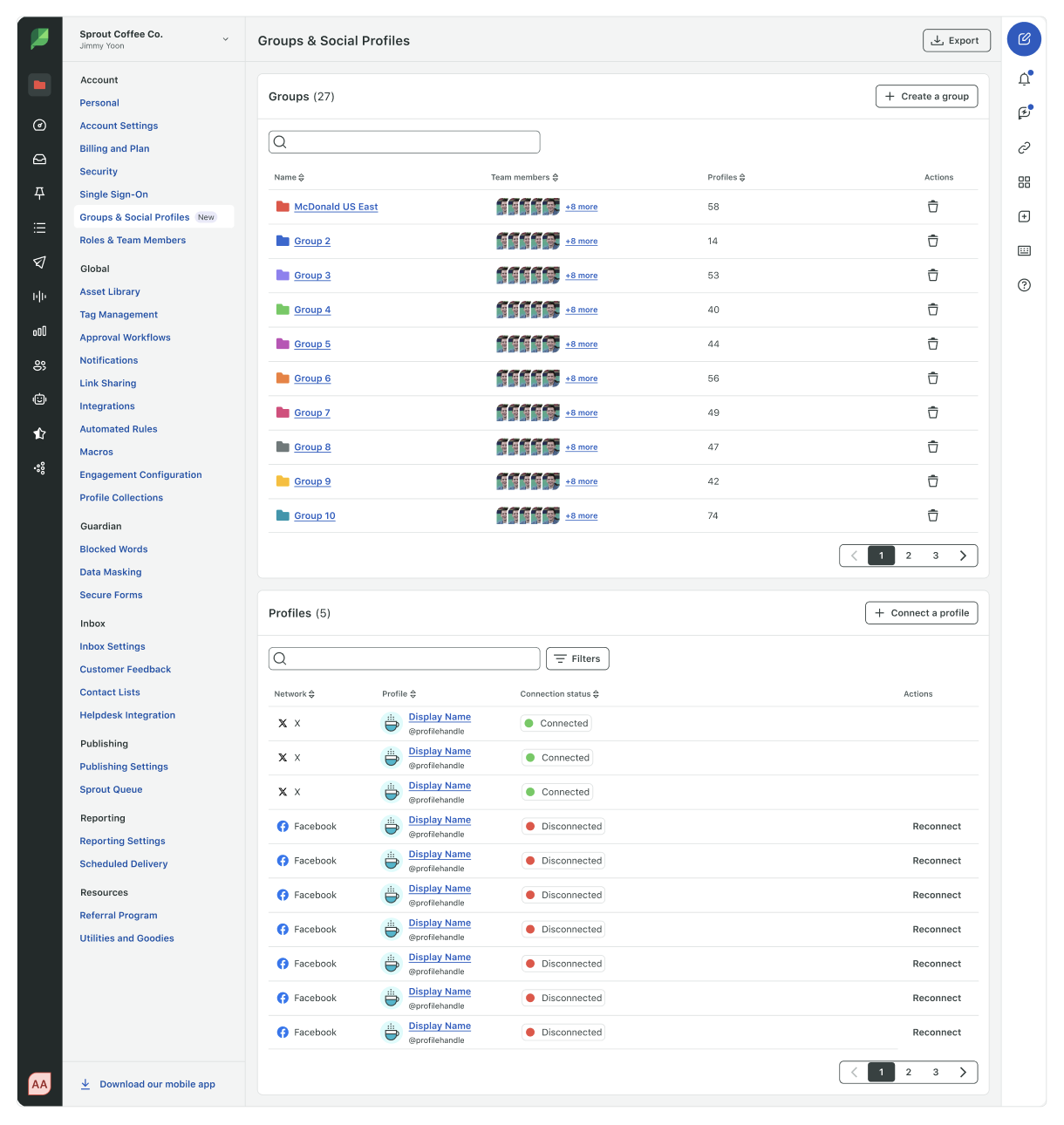
Putting group information in a table for high scanability
Added more metadata, supporting column sort
Introduced max height and pagination for the group table so user can also see profiles table
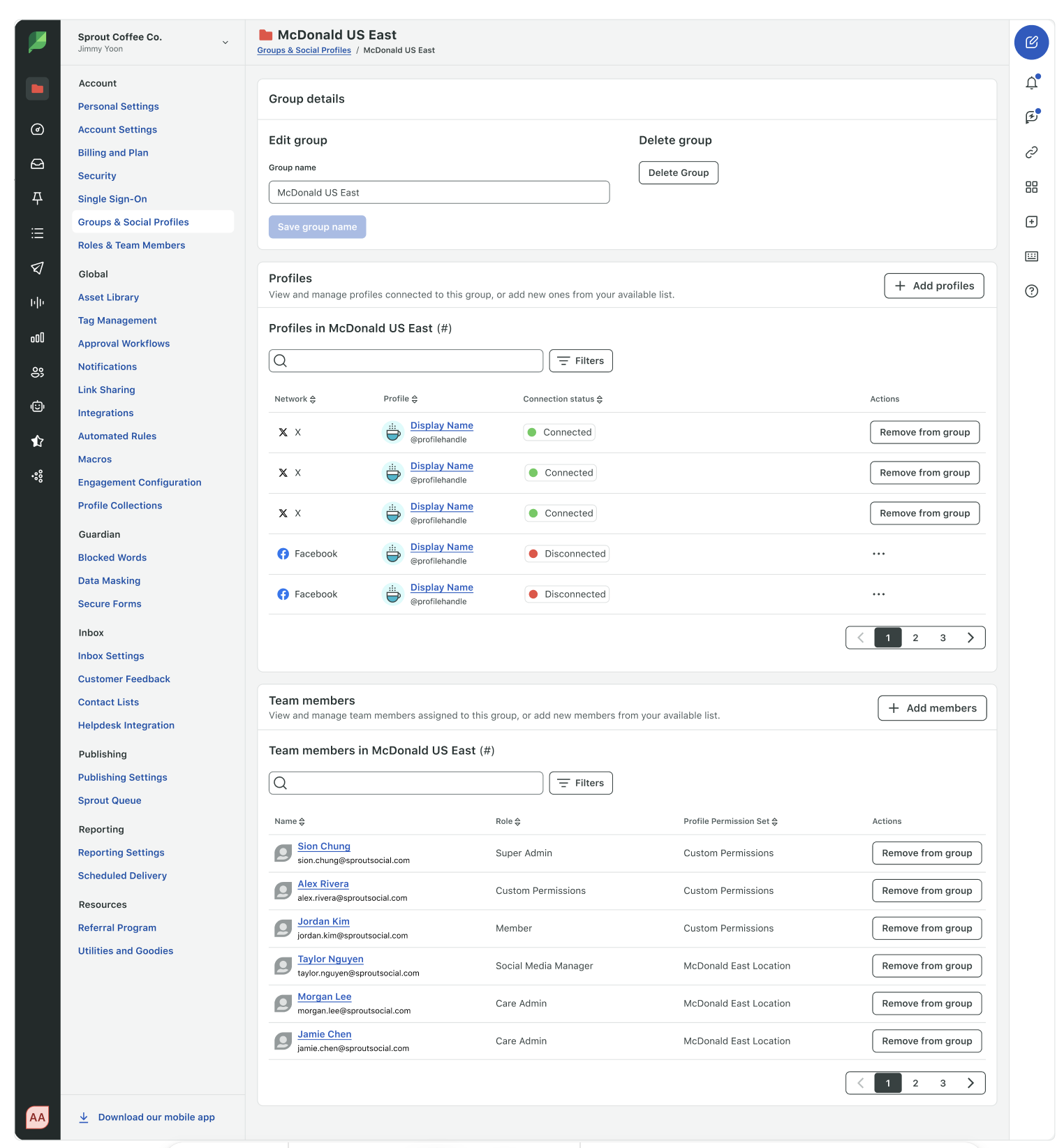
Groups Table Child Page After
Moved group details to a dedicated child page for focused workflow, information scalability and cognitive clarity
Added links to the profile name and team member names to support non linear workflow and faster access than being hidden in ellipsis icon
Moved away from avatar icons and putting team member information in a table
Social Profiles Table View Before
Social Profiles Table View After
Filter Menu After
User Profile Permissions Modal Before
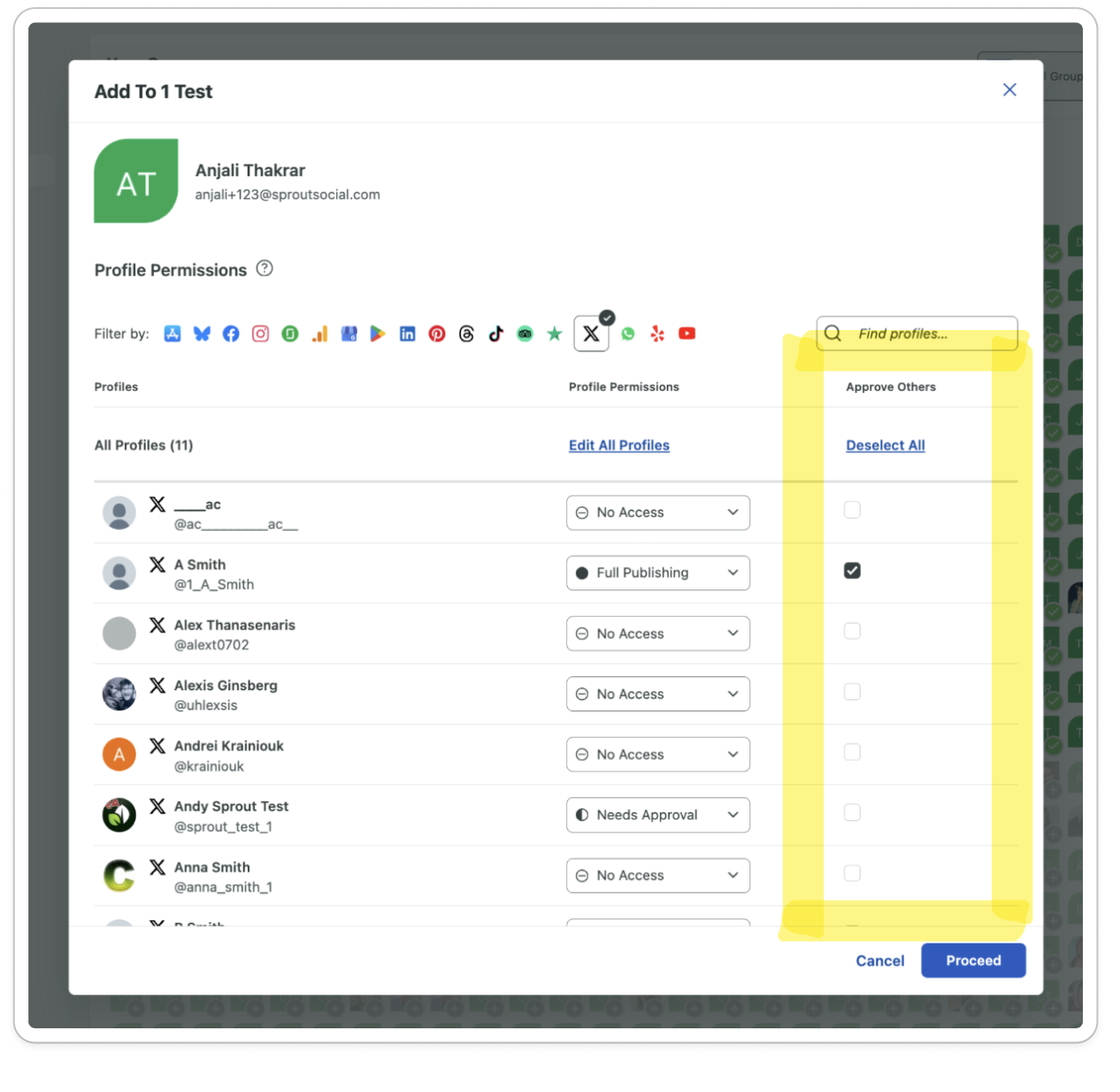
User Profile Permissions Modal After
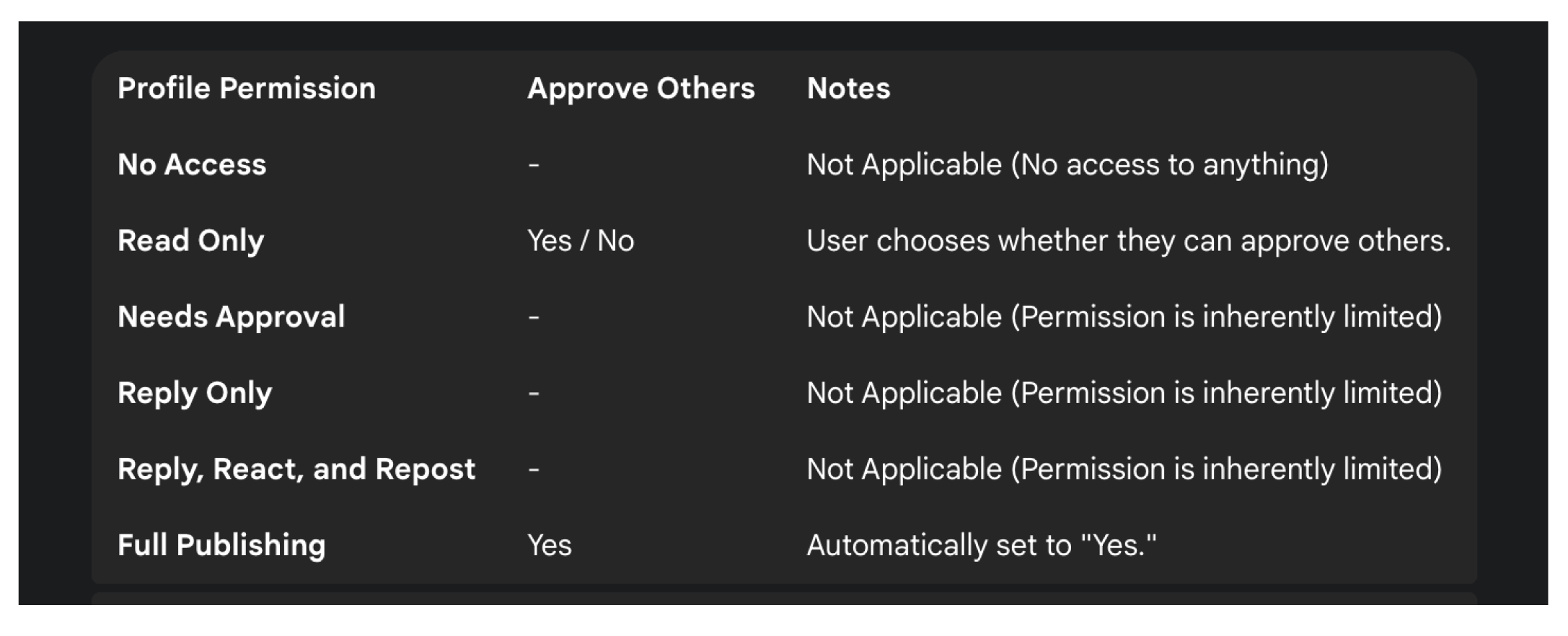
Updated UI and logic for Approve Others so that it’s permissions are only applicable if a user has Read Only (option to approve others, automatically defaulted to ‘No’) and Full Publishing (option to approve others, defaulted to ‘Yes’)
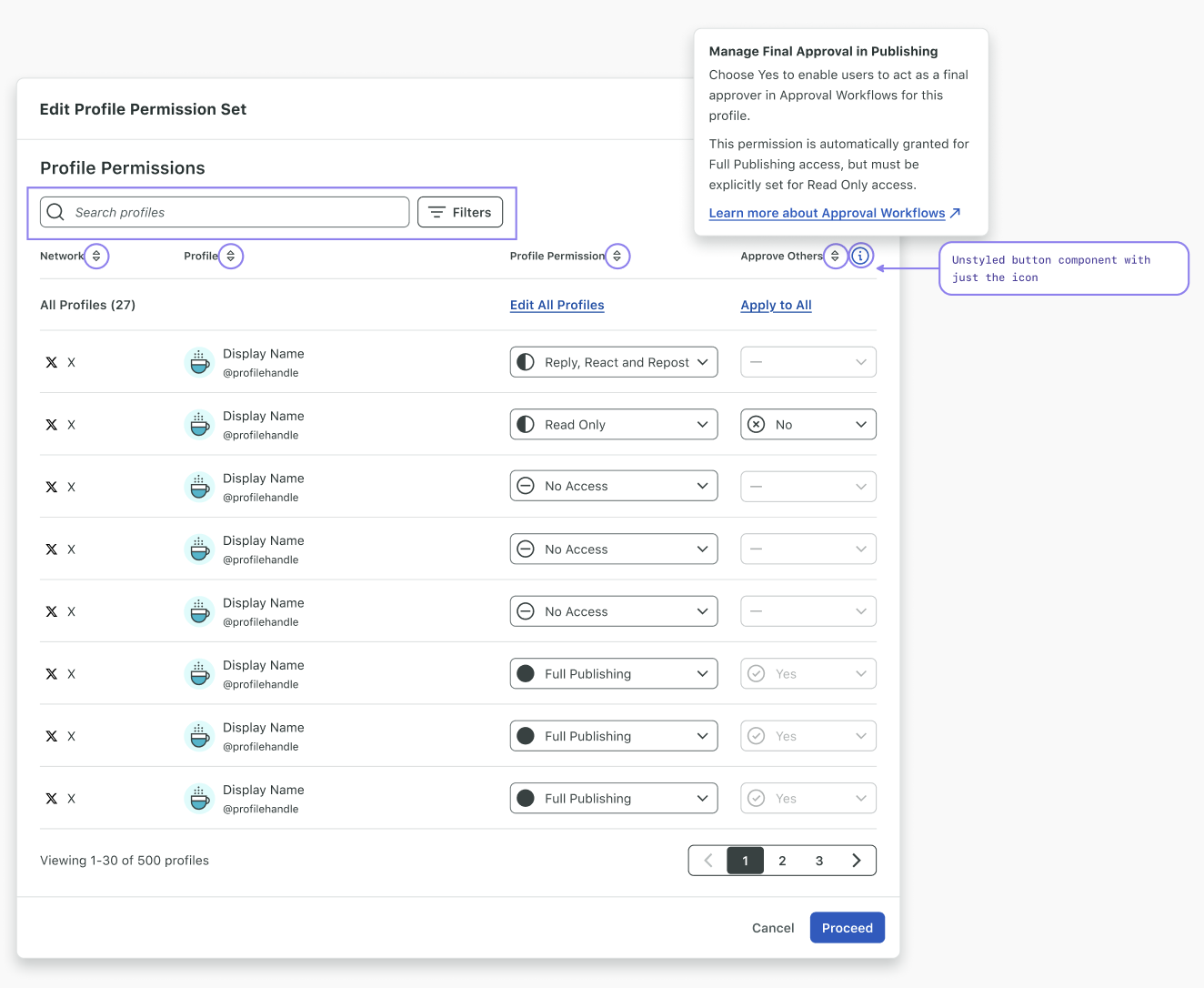
Approve Others Column Logic After
Outcomes
January 2026 showed a sustained 22% increase in profile reconnection attempts compared to pre-release baseline, with 4.28% more new customers actively managing profile health from Groups & Social Profiles.
Filter adoption reached 91% within 3 weeks
87.6% of users use one efficiency feature (search, filter or sort)
What’s Next
Profile Command Center—a single hub for admins to proactively manage all social profile connections that protect Sprout’s core inbound and outbound data flows—the foundational backbone preserving overall product value.