Data Capture Strategic Design
Overview
After developing the MVP solution for the CommandCentral Application (a tool that assists first responders in performing records queries and issuing citations), the SVP of our business sleeve approached the team and asked the question, “Is this it? Are we just designing an e-citation solution? What more can we do to get ahead of the curve and design for tomorrow instead of creating solutions that should have existed years ago?”
With these questions in mind, I led the design strategy for the post-MVP solution of the CommandCentral App.

The approach: who is using the product?
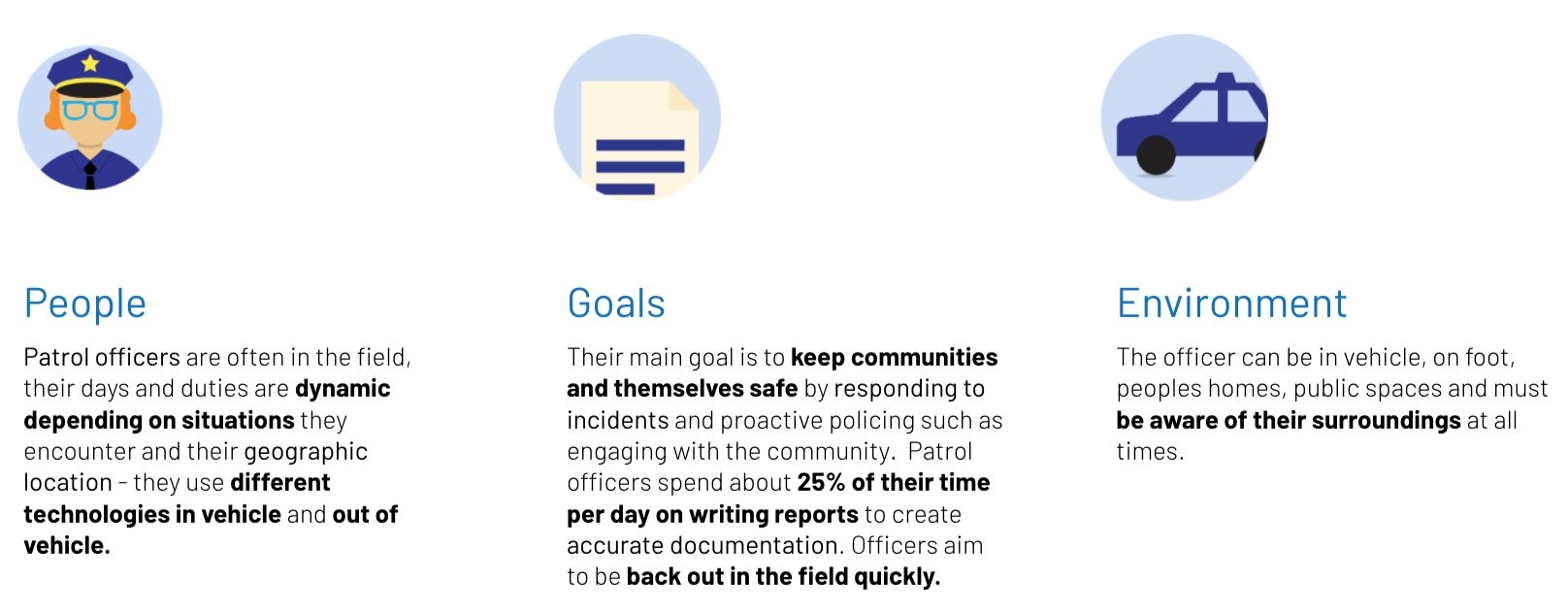
Design goal
Help first responders capture data accurately and efficiently by anticipating and guiding them to collect the appropriate information; thus allowing officers to focus on certain tasks given the context and environment so that they spend less time in potential danger while on-scene.
Design according to the environment
On scene, outside of vehicle
When an officer is out of the vehicle, on an incident scene interacting with potential suspects, witnesses and victims, they are trying to collect incident information.
Rather than form fields, we equip them with tools they can use to capture the information needed.
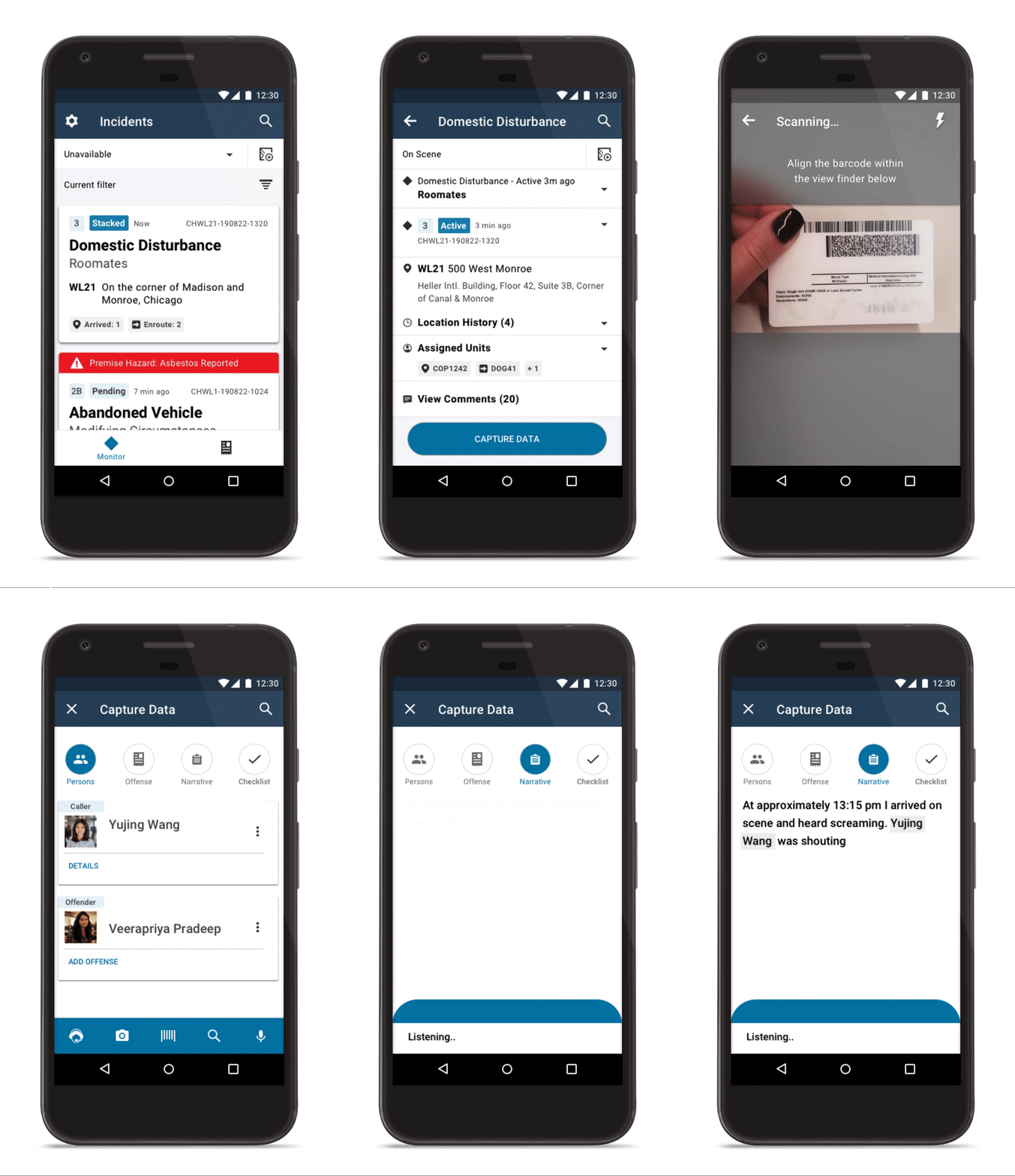
To the right, you can see the following user journey:
An officer is dispatched to a domestic disturbance between two roommates
Officer accepts incident and reads the details to gain situational awareness so that they are able to approach the scene appropriately
Officer arrives on scene and speaks with parties involved and deescalates the situation
Officer is then able to take their device out of their pocket and begin the data capturing process
Officer leverages a set of tools to capture the information that is necessary. Tools include: typing, voice assistant, media capture, barcode scanner (for licenses & VINs), manual search and voice transcription
Officer scans license of Veerapriya and marks her as the offender in this incident
Officer begin transcribing notes of what occurred on scene
Once sufficient data is captured, officer is able to leave the scene
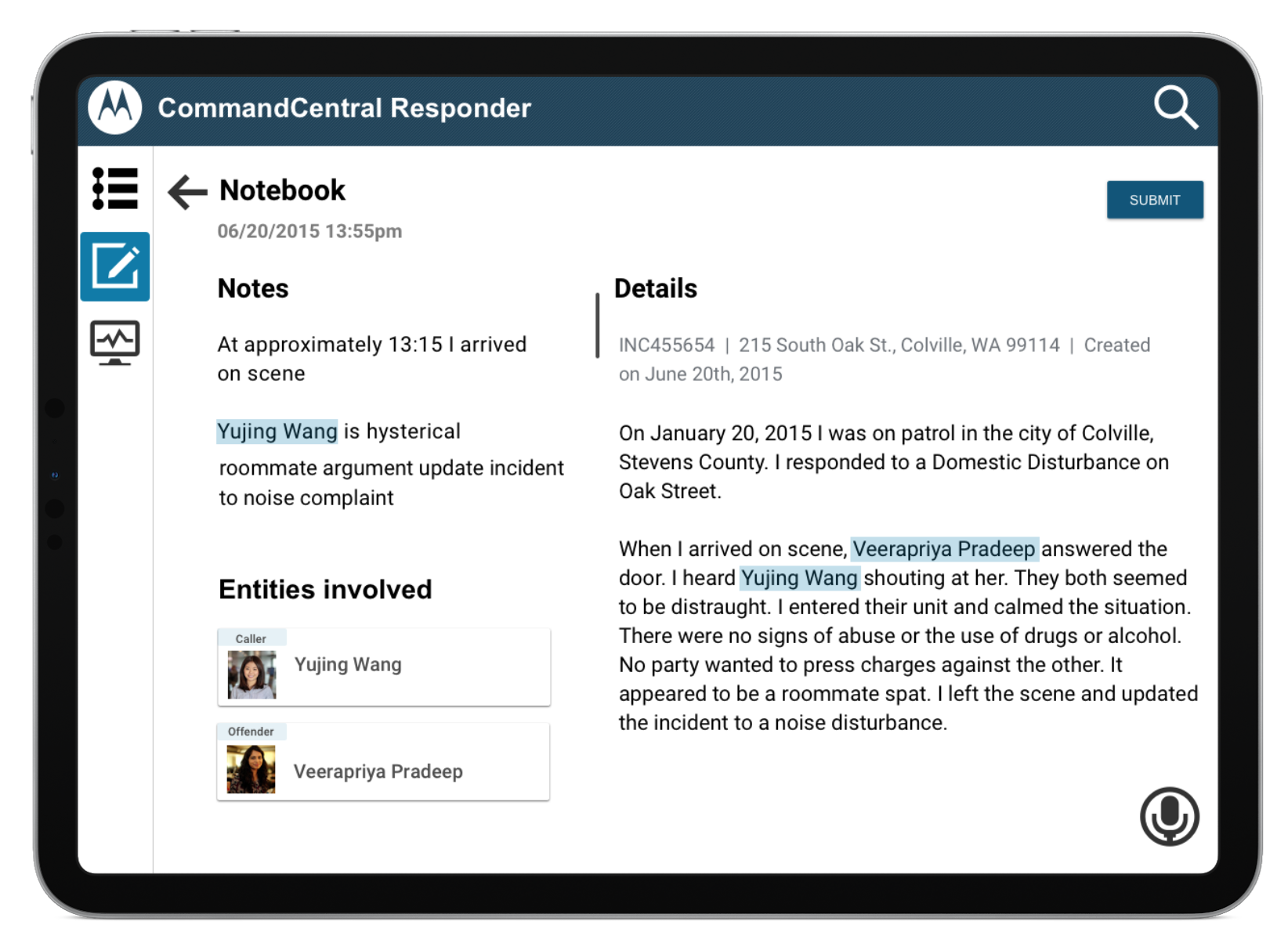
Post-incident, inside vehicle
When an officer leaves the scene and arrives back inside the vehicle, they are able to reconcile data captured on scene, organize it appropriately before submitting it to their supervisor for approval.
SVP Feedback
We proposed this strategy to the SVP and received positive feedback.
“This is it. We need to build this now. Enough of the forms. This will set us ahead of the curve.”
-Alam Ali, SVP
Outcomes & Top 5 Takeaways
By focusing in on my users, their goals, and the environment they work in, we were able to design strategy that:
Eliminates the need for paper-based reporting
Creates a streamlined process for capturing information
Reduces the amount of time spent on reporting
Lessens time spent in potential danger on scene
Allows greater situational awareness of their surroundings
Future Work
With the feedback we received from the SVP, we added both the data capturing feature and the in-vehicle solution (tablet and windows MDT) to our product roadmap. Our team is currently in the process of investigating the technical environments of an in-vehicle solution and creating a proof of concept.
I’ve also begun outlining how to take this strategic data capturing feature and begin designing for it tactically. Key Questions include:
What should the experience be like?
How should incident data be organized?
How should users add content?
How I approached the design:
Password: password2020